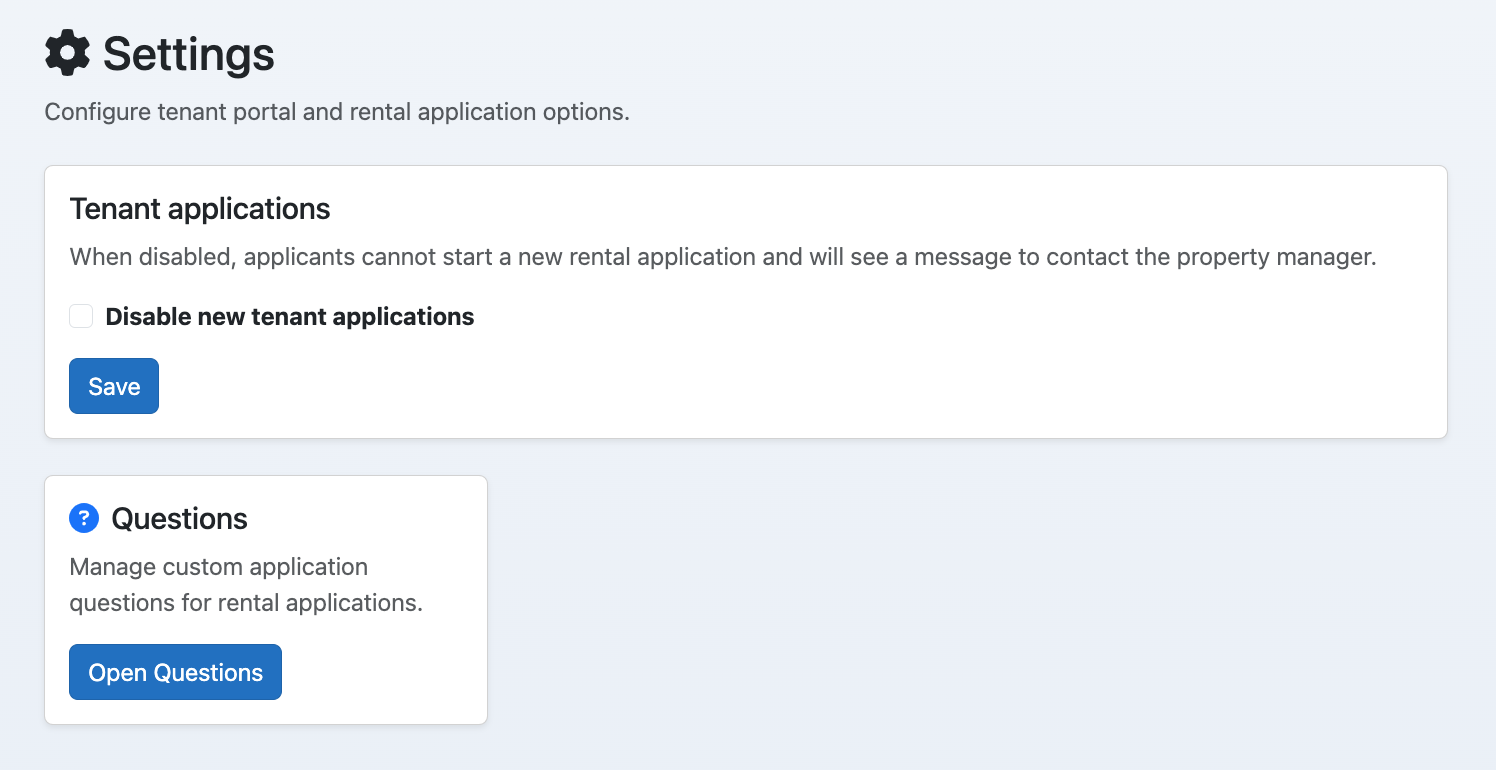
Tenant Registration
Configure tenant registration, applications, and screening settings.
Showing Web screenshots
Switch between web app and mobile app screenshots. Step text is the same; mobile images can be uploaded separately.
Opening Tenant Registration
Go to Tenants → Settings (/Manager/Settings) to open tenant registration settings. Here you configure what applicants and residents see and how applications and screening work.

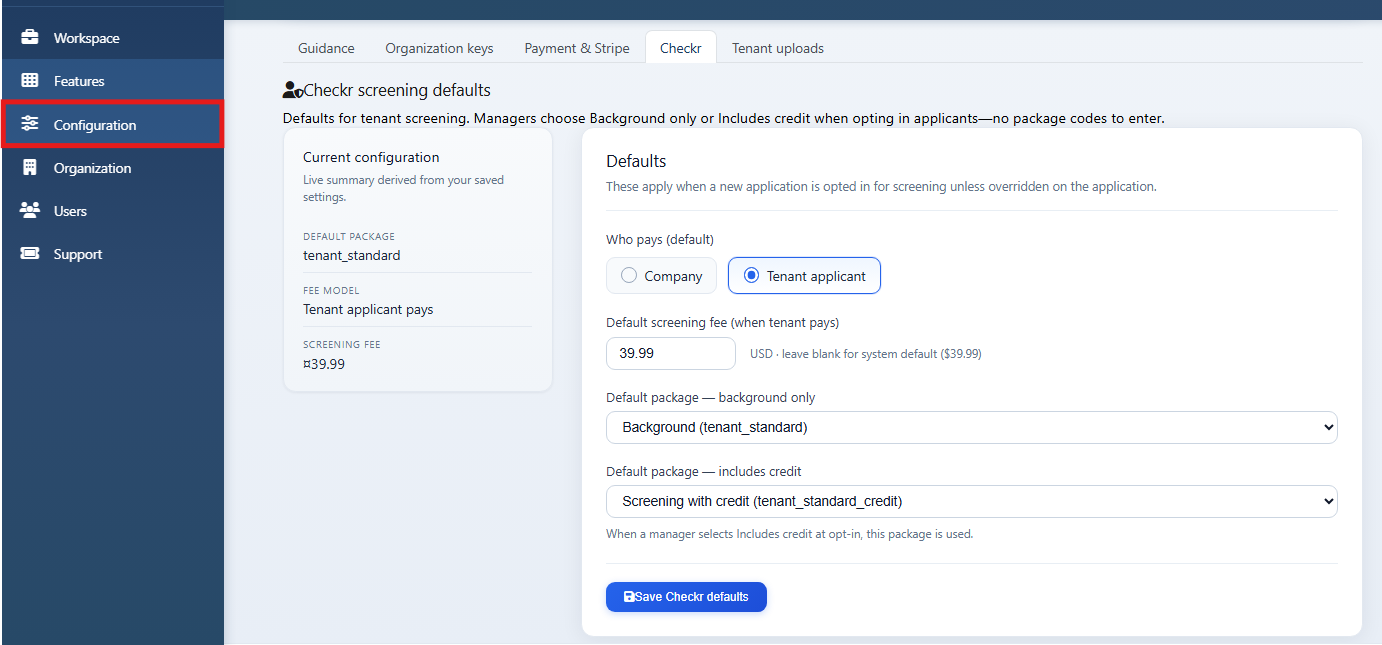
Application and screening settings (default Checkr package, payer, fee)
Set the default Checkr package, who pays for screening (applicant vs manager), and the screening fee. These apply to new applications.
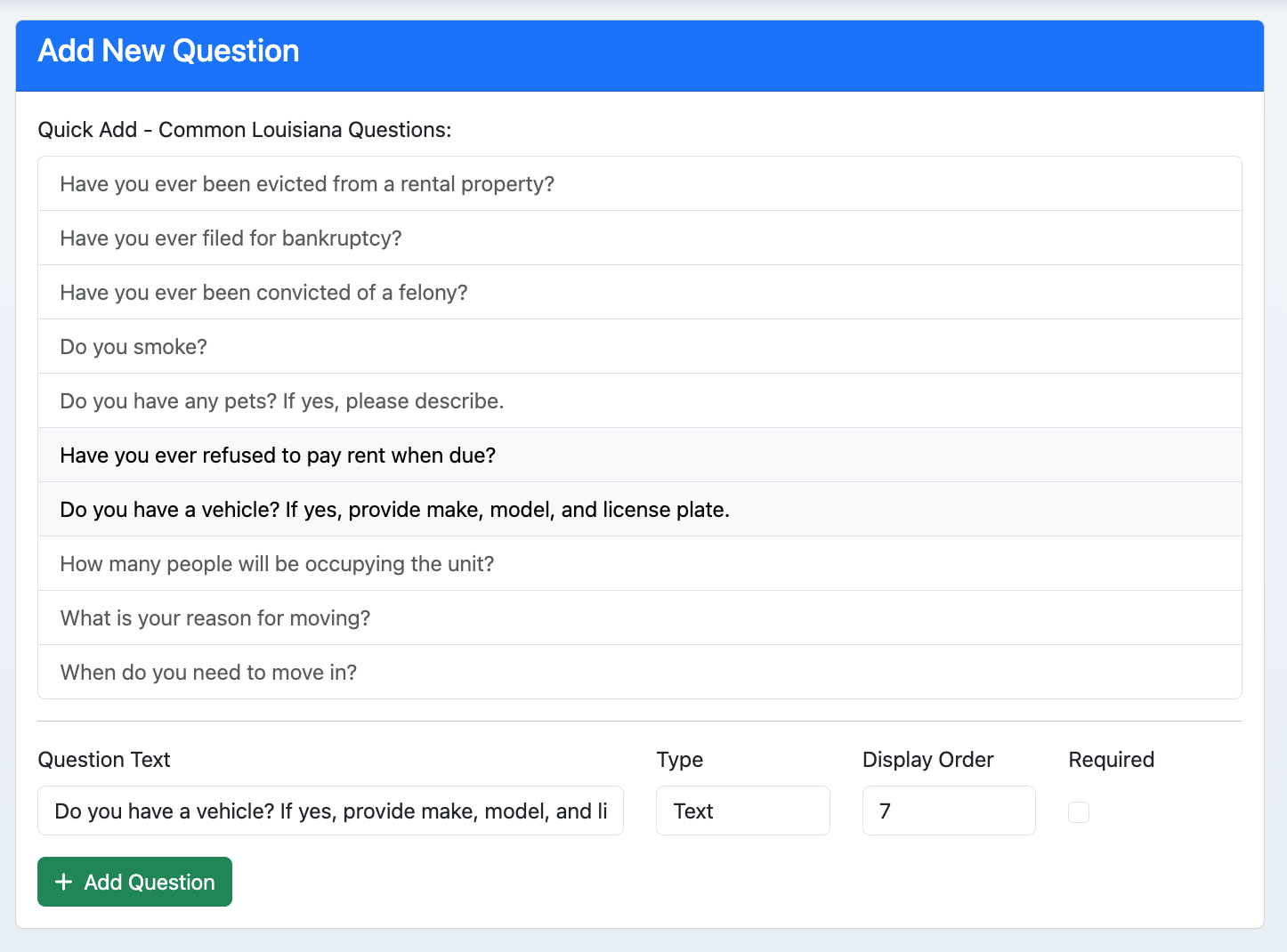

Checkr settings (packages, payer, screening fee)
Configure Checkr packages available for screening, payer (applicant or organization), and fee. Sync or refresh packages if you add new ones in Checkr.