Tenants → Letters
Send and manage letters and notices to tenants.
Showing Web screenshots
Switch between web app and mobile app screenshots. Step text is the same; mobile images can be uploaded separately.
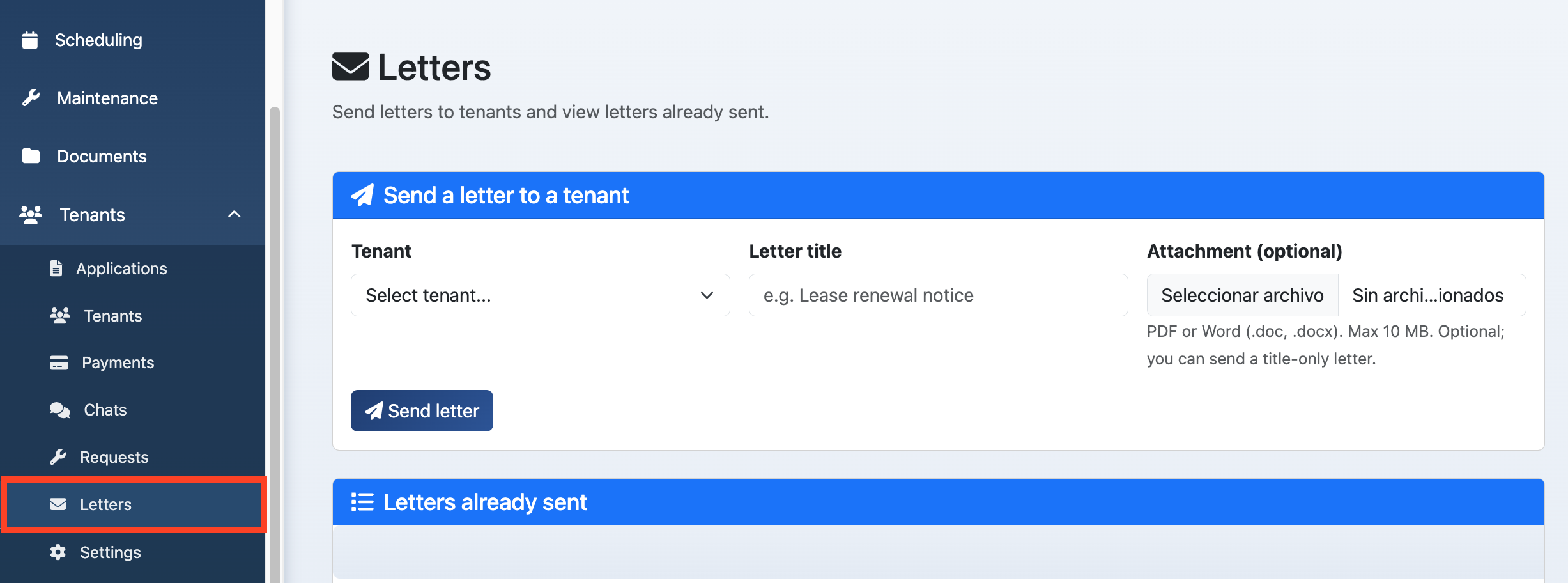
Opening the Letters list (sent to tenants)
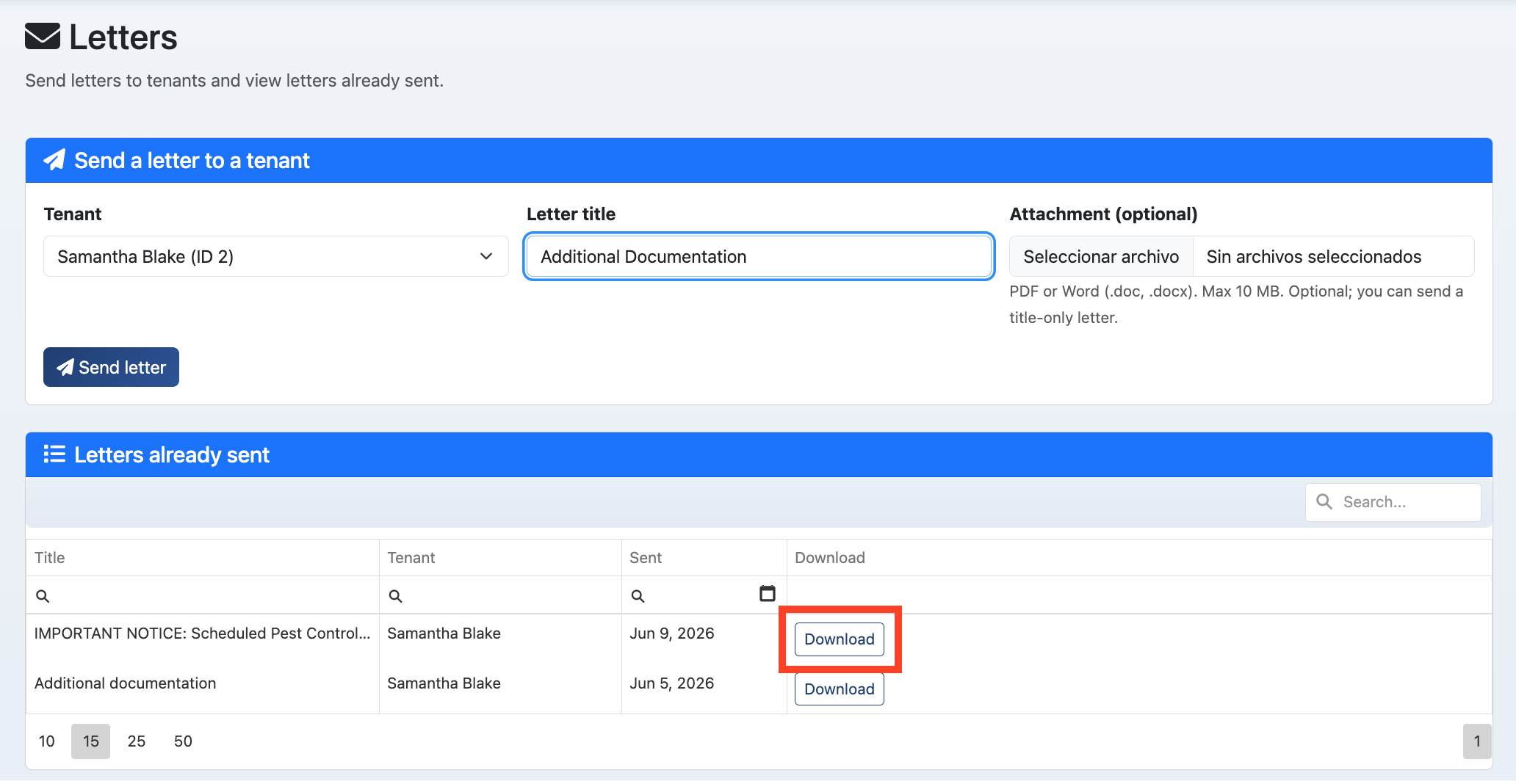
Go to /Manager/Letters to see letters and notices you've sent to tenants. View by tenant or date.

Viewing letter history and delivery status
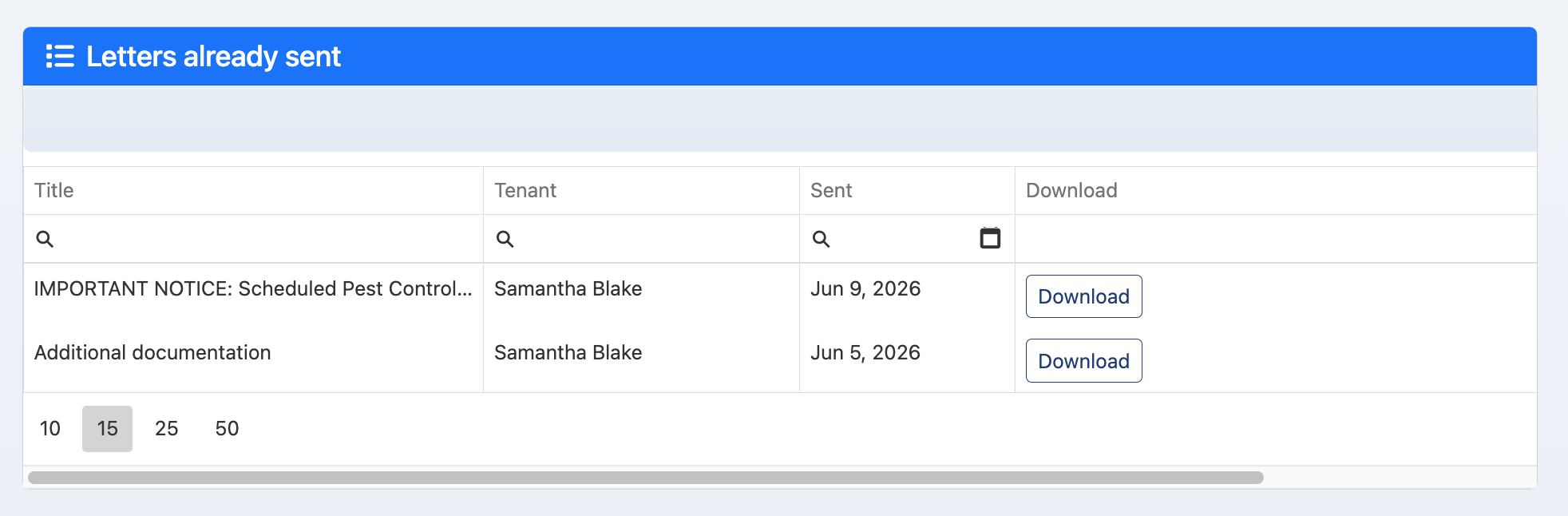
View when each letter was sent and delivery status (sent, read) if the system tracks it. Use for compliance and follow-up.

Sending a new letter to a tenant (select tenant, title, attach PDF)
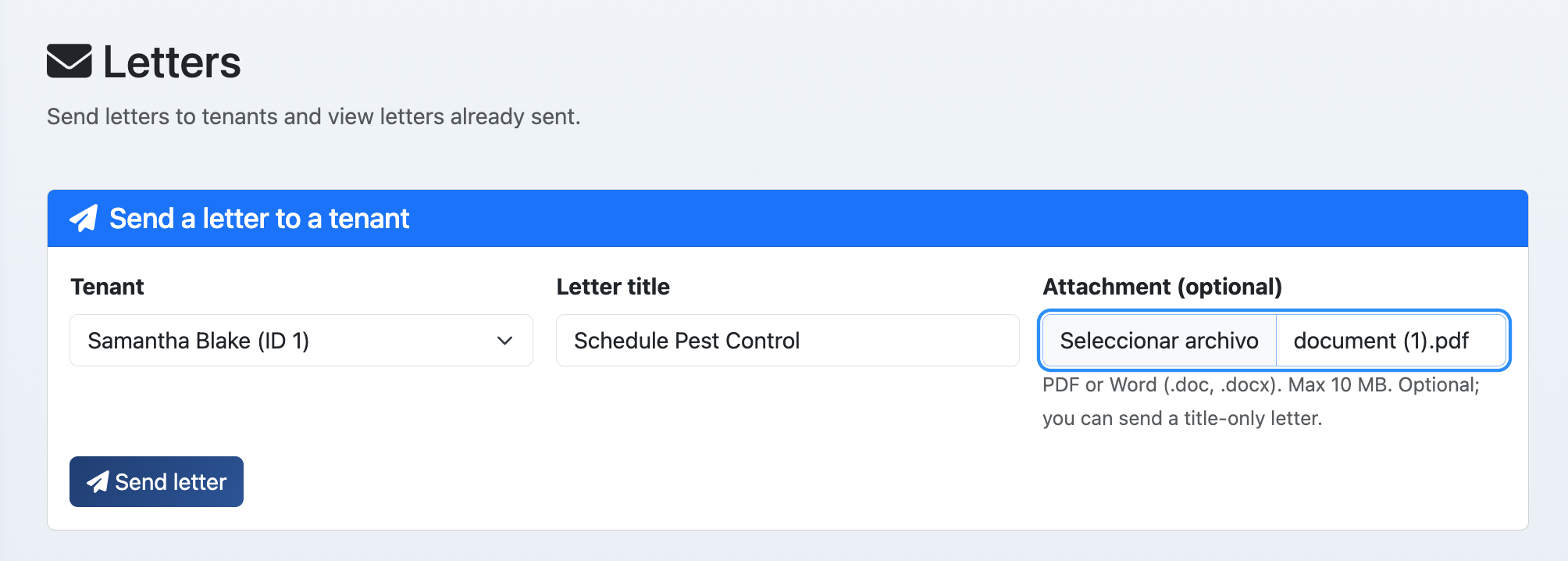
Click Send letter. Select the tenant, enter a title, and attach the PDF (or content). Send to deliver; the tenant sees it in their portal.

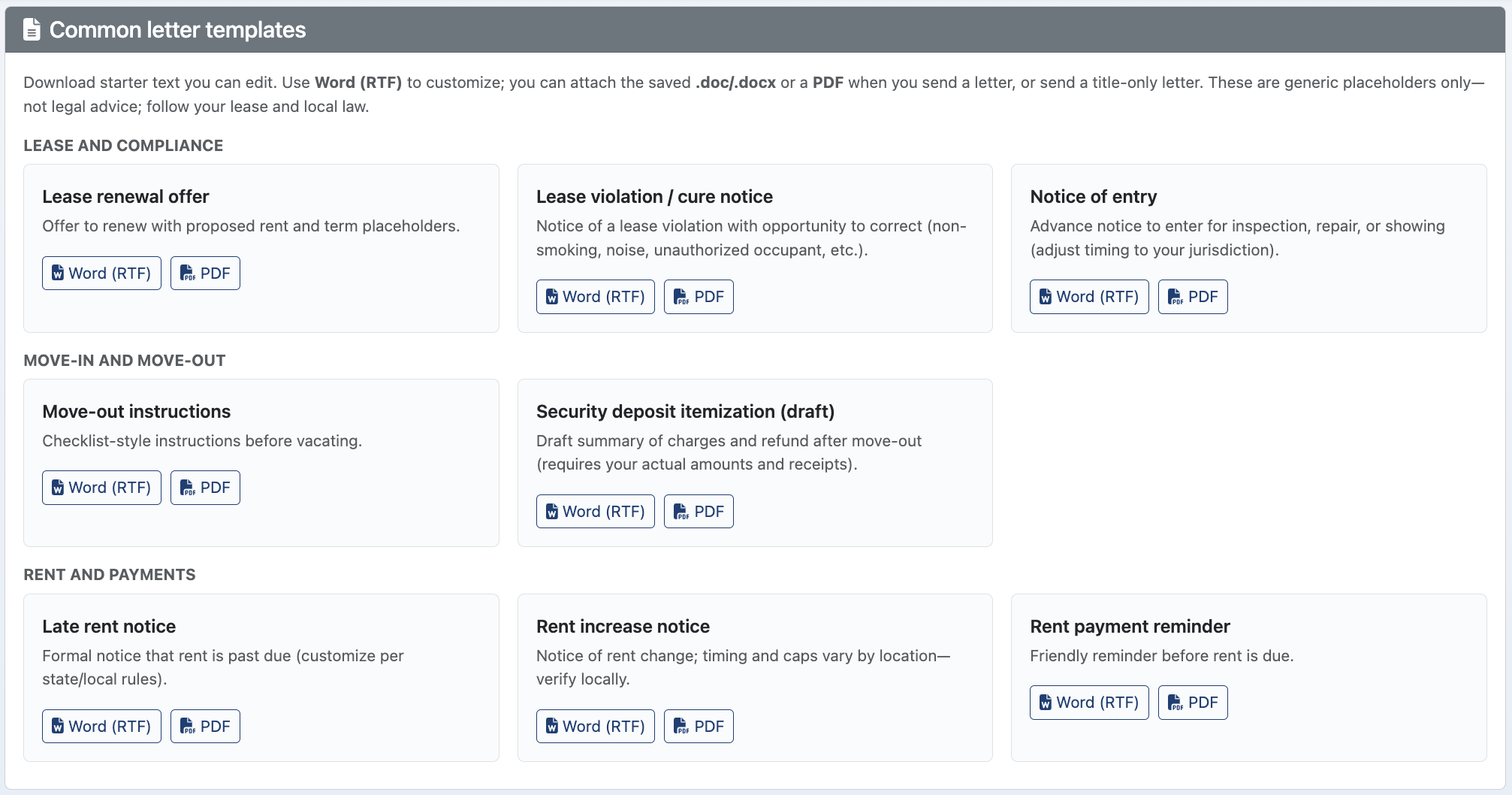
Templates or standard letters (if available)
Use templates or standard letters (e.g. lease renewal, notice to enter) to save time. Customize as needed before sending.

Resending or downloading a letter (if available)
Resend a letter if the tenant didn't receive it or you need to send again. Download a copy for your records or for legal.