Support
View and create support tickets for your organization.
Showing Web screenshots
Switch between web app and mobile app screenshots. Step text is the same; mobile images can be uploaded separately.
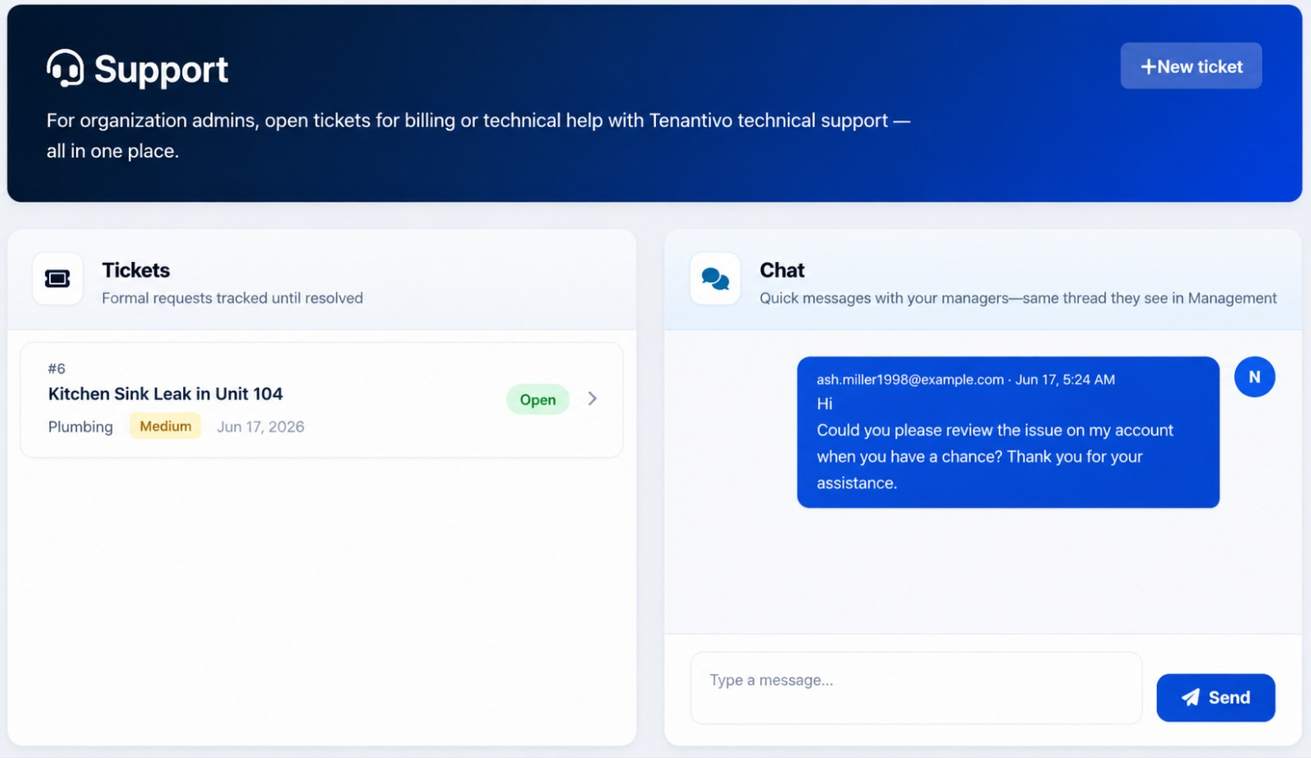
Viewing support tickets and status
Open Support from the Account Portal sidebar to view all support tickets. The ticket list displays the title, status, category, and other relevant details. Use filters or sorting options to quickly locate specific tickets, and select a ticket to view the full thread.
Tip: Resolved tickets may be hidden by a filter; switch to “All” or “Resolved” if you need to reference an old ticket.

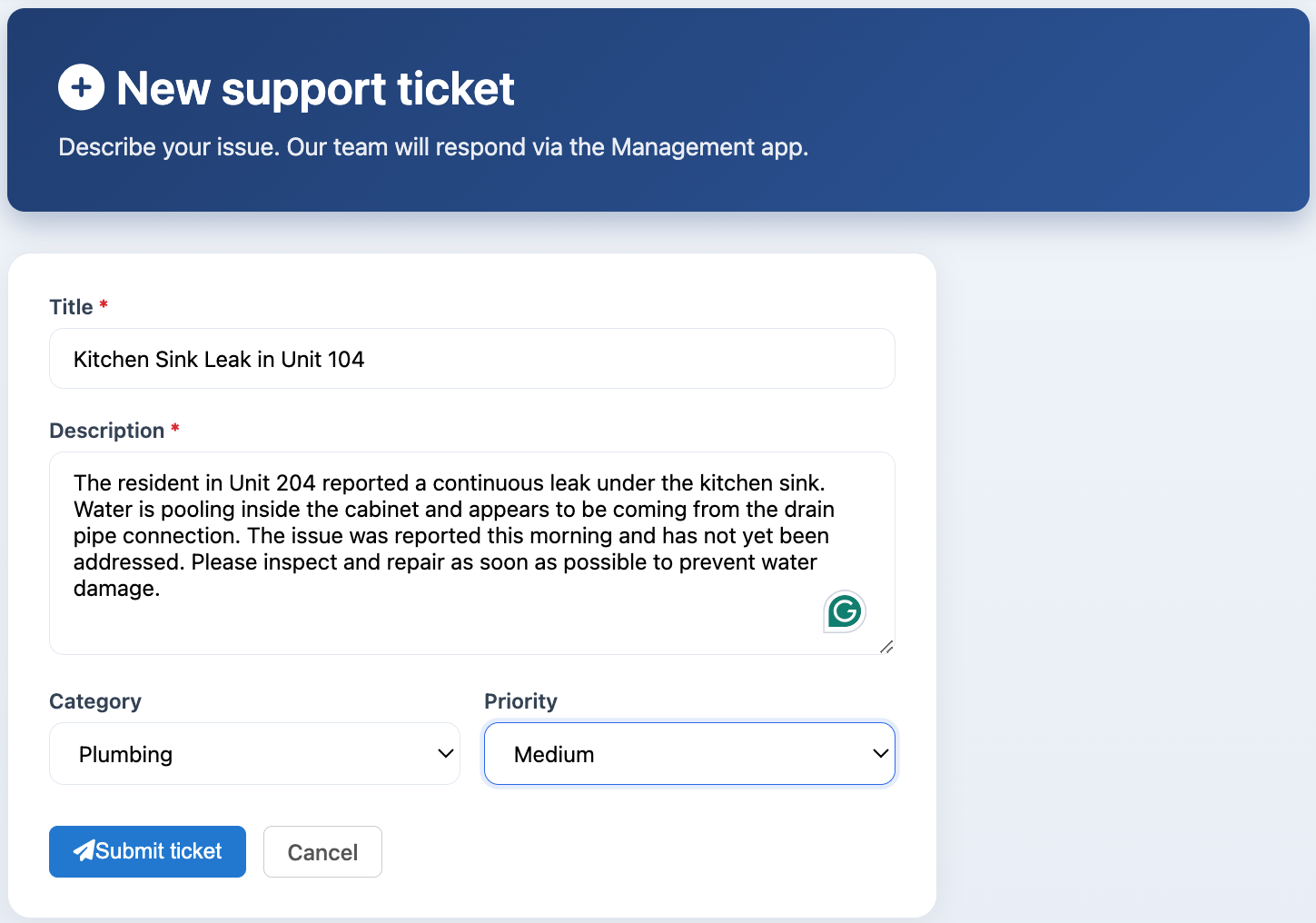
Creating a new support ticket (title, category, priority, content)
- Open Support.
- Click New Ticket.
- Enter a title that clearly describes the issue.
- Select a category and priority.
- Provide a detailed description of the issue, including what happened and what you expected to happen.
- Submit the ticket.
Note: For faster resolution, include all relevant details and attach screenshots when available.

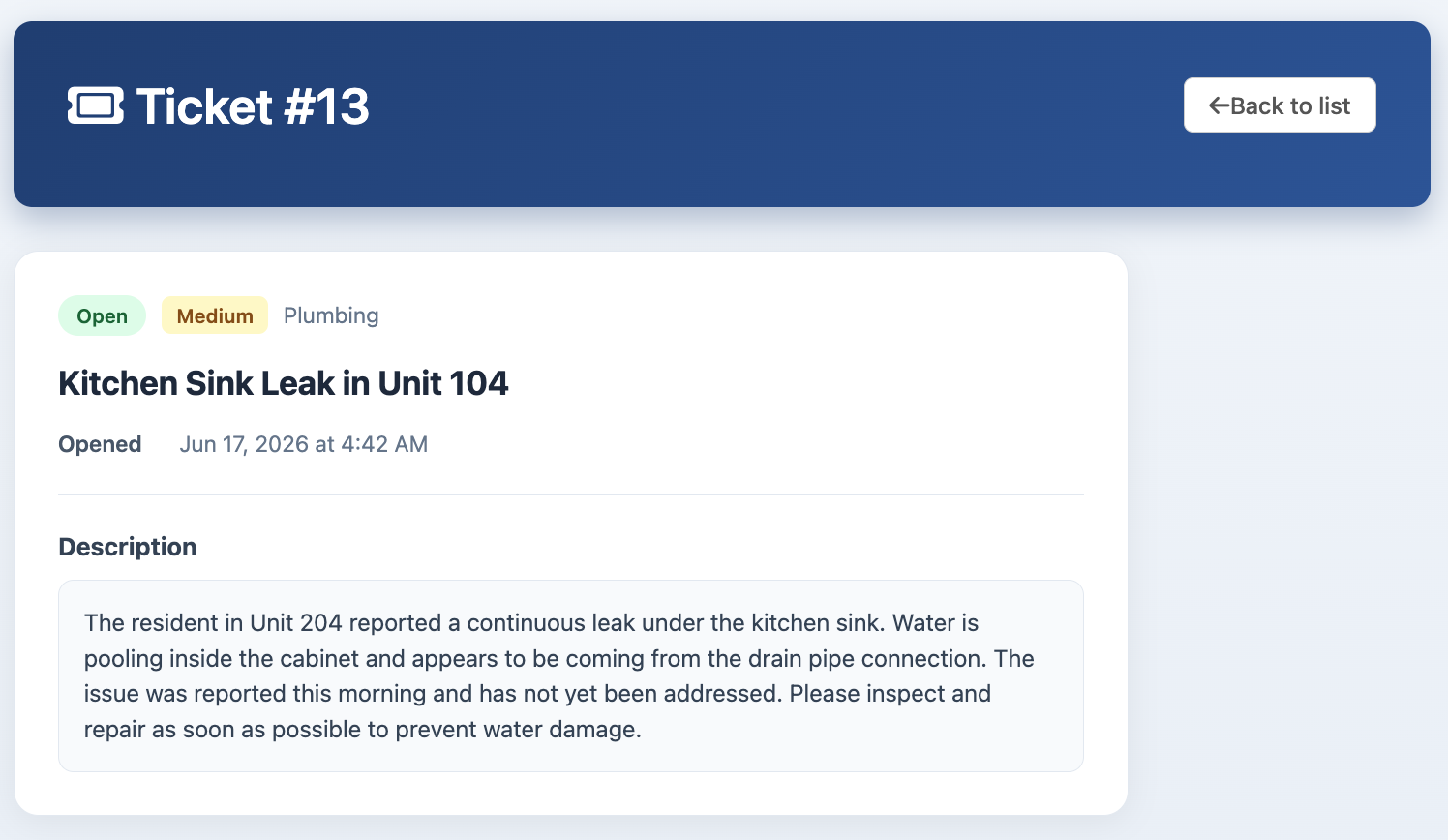
Viewing ticket details and thread
- Open Support.
- Select a ticket from the list to open its details.
- Review the ticket status, category, and message history.

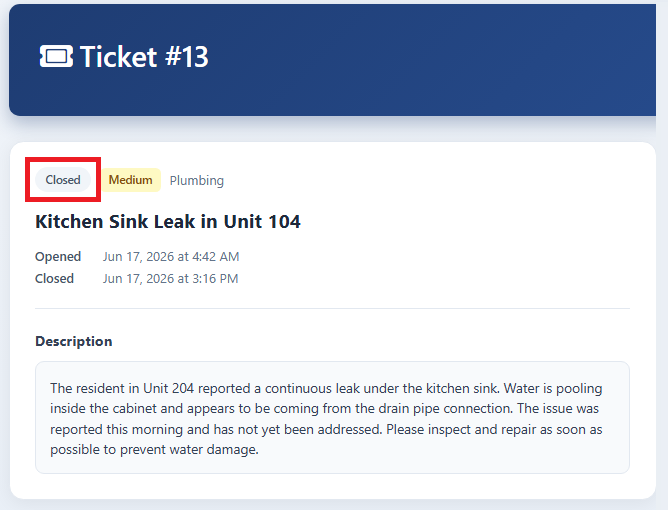
Closing or resolving tickets
There is no button to close or resolve tickets from the Account Portal. Ticket status is updated by Tenantivo support. If you believe a ticket is resolved, contact support through Chat.